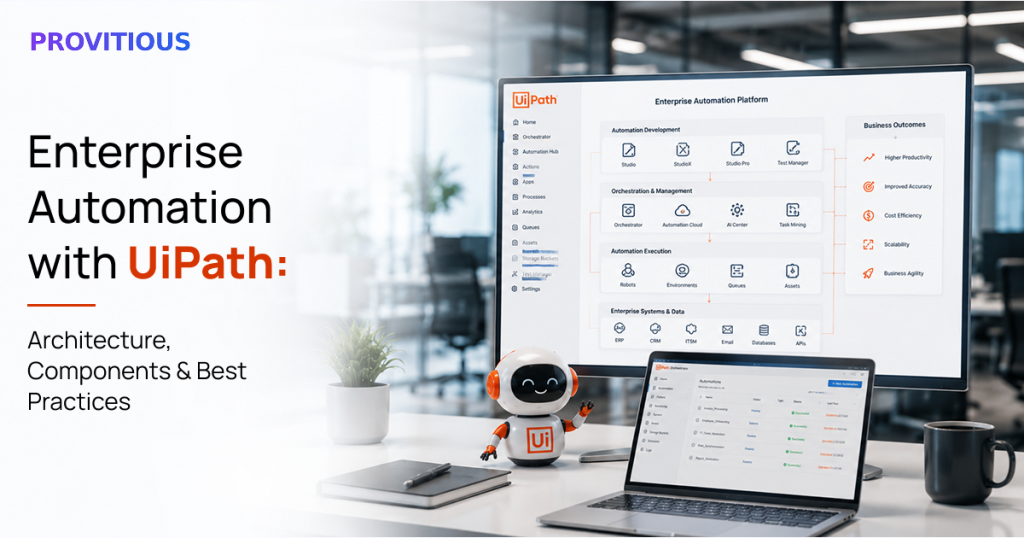
Enterprise Automation with UiPath: Architecture, Components & Best Practices
Every business today is under constant pressure to do more with less. Teams are expected to deliver faster, reduce operational costs, improve customer experiences, and eliminate manual errors all while handling increasing workloads.
The challenge? Many organizations still rely on repetitive, rule-based processes that consume valuable employee time. Tasks like invoice processing, employee onboarding, report generation, data entry, and customer record updates often require hours of manual effort every day.
This is where Enterprise Automation with UiPath becomes a game changer.
UiPath enables businesses to automate repetitive processes across departments using intelligent software robots. Rather than replacing people, these digital workers handle routine tasks so employees can focus on work that requires creativity, strategy, and decision-making.
In this guide, we’ll explore UiPath’s architecture, its core components, enterprise best practices, and how organizations can build a scalable automation strategy.
What is Enterprise Automation?
Enterprise automation is the process of using software, Artificial Intelligence (AI), and Robotic Process Automation (RPA) to automate business operations across an organization.
Unlike small-scale automation that targets a single department, enterprise automation connects multiple systems, teams, and workflows to create a seamless digital ecosystem.
Examples include:
- Processing invoices automatically
- Employee onboarding
- Customer support ticket routing
- Payroll processing
- Purchase order approvals
- Compliance reporting
- Claims processing
- Data migration
- CRM updates
- Report generation
Why UiPath for Enterprise Automation?
UiPath is one of the world’s leading enterprise automation platforms because it combines traditional RPA with Artificial Intelligence, Machine Learning, Document Understanding, APIs, and workflow orchestration.
Organizations choose UiPath because it offers:
- Fast automation deployment
- Enterprise-grade security
- Easy scalability
- Cloud and on-premise support
- AI-powered automation capabilities
- Integration with thousands of applications
- Low-code development environment
- Strong governance and monitoring tools
Whether you’re automating one process or hundreds across multiple departments, UiPath provides the flexibility to grow with your business.
Understanding UiPath Architecture
Before implementing automation, it’s helpful to understand how UiPath works behind the scenes.
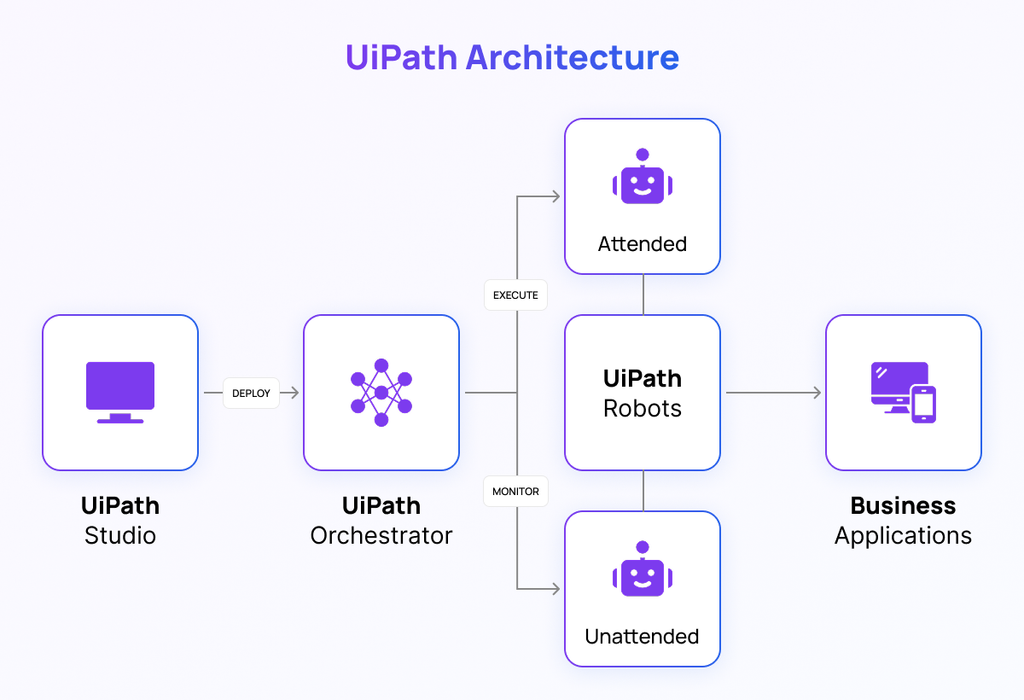
A typical UiPath architecture consists of four major layers.
1. UiPath Studio
UiPath Studio is where automation workflows are designed.
Developers use its drag-and-drop interface to create bots that mimic human actions such as:
- Reading emails
- Filling forms
- Logging into applications
- Extracting data
- Processing Excel files
- Updating ERP systems
- Connecting with APIs
Since it requires minimal coding, businesses can build automations much faster than traditional software development.
2. UiPath Robots
Robots are the digital workforce that executes automated tasks.
There are two primary types:
Attended Robots
These work alongside employees.
For example:
A finance executive clicks one button, and the robot automatically downloads invoices, validates data, and updates the accounting system.
Unattended Robots
These operate independently without human intervention.
For example:
Every night at 2 AM, the robot extracts sales reports, updates dashboards, sends management reports, and archives completed files automatically.
3. UiPath Orchestrator
Think of UiPath Orchestrator as the control center for your automation environment.
It allows organizations to:
- Schedule automations
- Monitor robot performance
- Assign work queues
- Manage credentials securely
- Deploy automation updates
- Track execution history
- Generate analytics
For enterprises running dozens or hundreds of robots, Orchestrator ensures everything runs smoothly from one centralized platform.
4. Business Applications
UiPath connects with nearly every business application, including:
- SAP
- Oracle
- Salesforce
- Microsoft Dynamics 365
- SharePoint
- Microsoft 365
- Google Workspace
- ServiceNow
- Workday
- Legacy desktop applications
- Web applications
- Custom software
This allows organizations to automate processes without replacing their existing systems.
Key Components of UiPath Enterprise Automation
Beyond its core architecture, UiPath includes several advanced capabilities that make enterprise automation even more powerful.
Document Understanding
Many business processes involve invoices, purchase orders, contracts, forms, or handwritten documents.
UiPath Document Understanding combines OCR with AI models to:
- Extract structured data
- Read scanned PDFs
- Process invoices
- Capture information from forms
- Validate extracted data
This significantly reduces manual document processing.
AI Center
UiPath AI Center enables businesses to integrate machine learning into automation workflows.
Examples include:
- Fraud detection
- Sentiment analysis
- Predictive decision making
- Image recognition
- Intelligent classification
Instead of following only predefined rules, bots can make smarter decisions based on AI models.
Integration Service
Businesses rarely operate using one application.
UiPath Integration Service connects hundreds of business systems through ready-made connectors and APIs, allowing information to move automatically between platforms.
Task Mining
Before automation begins, organizations often struggle to identify repetitive tasks.
Task Mining observes user activities and identifies automation opportunities by analyzing real employee workflows.
This helps prioritize projects with the highest return on investment.
Process Mining
Process Mining provides a complete view of how business processes actually work.
Instead of relying on assumptions, organizations gain data-driven insights into bottlenecks, delays, and inefficiencies before automation starts.
Benefits of Enterprise Automation with UiPath
Organizations implementing UiPath typically experience improvements across multiple business areas.
Increased Productivity
Bots work 24/7 without breaks, enabling faster task completion and higher operational efficiency.
Reduced Human Errors
Manual data entry often results in mistakes.
UiPath performs tasks consistently, improving data accuracy and reducing costly errors.
Lower Operational Costs
Automation reduces repetitive manual work, allowing employees to focus on strategic initiatives while lowering overall operating expenses.
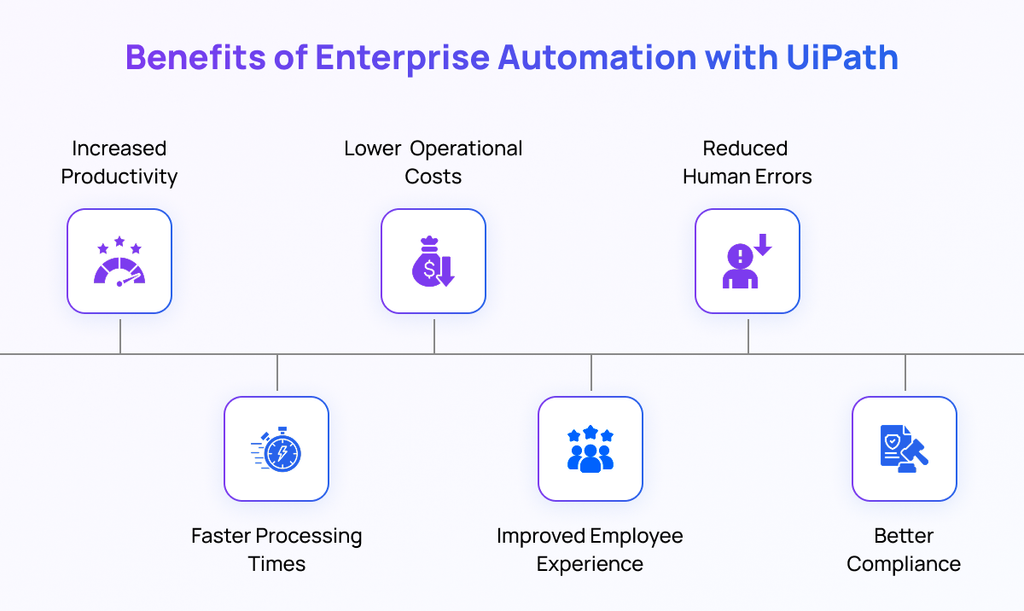
Faster Processing Times
Tasks that previously required hours can often be completed within minutes.
Invoice approvals, report generation, customer onboarding, and reconciliation processes become significantly faster.
Better Compliance
UiPath records every action performed by robots, creating detailed audit trails that simplify regulatory compliance and internal governance.
Improved Employee Experience
Employees spend less time on repetitive administrative work and more time solving problems, collaborating, and delivering value to customers.
Best Practices for Successful UiPath Implementation
Simply deploying bots isn’t enough. Successful enterprise automation requires a structured strategy.
1. Start with High-Impact Processes
Begin by automating repetitive, rule-based tasks that deliver quick wins.
Examples include:
- Invoice processing
- Payroll
- HR onboarding
- Data migration
- Report generation
Early success helps build confidence across the organization.
2. Standardize Processes Before Automation
Automation cannot fix broken processes.
Document and simplify workflows before introducing bots.
3. Establish Strong Governance
Create clear standards for:
- Development
- Security
- Testing
- Deployment
- Version control
- Bot monitoring
Governance ensures automation remains secure and scalable.
4. Prioritize Security
Use secure credential management, role-based access control, and encrypted communication to protect sensitive business data.
5. Monitor Performance Continuously
Automation should be continuously measured.
Track metrics such as:
- Processing time
- Error rates
- Cost savings
- Bot utilization
- Process success rate
- ROI
Continuous monitoring helps identify new optimization opportunities.
6. Think Beyond Individual Bots
Rather than automating isolated tasks, focus on end-to-end business processes.
This creates greater business value and avoids fragmented automation efforts.
Common Enterprise Use Cases
UiPath is successfully used across multiple industries.
Finance
- Invoice processing
- Account reconciliation
- Expense validation
- Financial reporting
Human Resources
- Employee onboarding
- Payroll processing
- Leave management
- Candidate screening
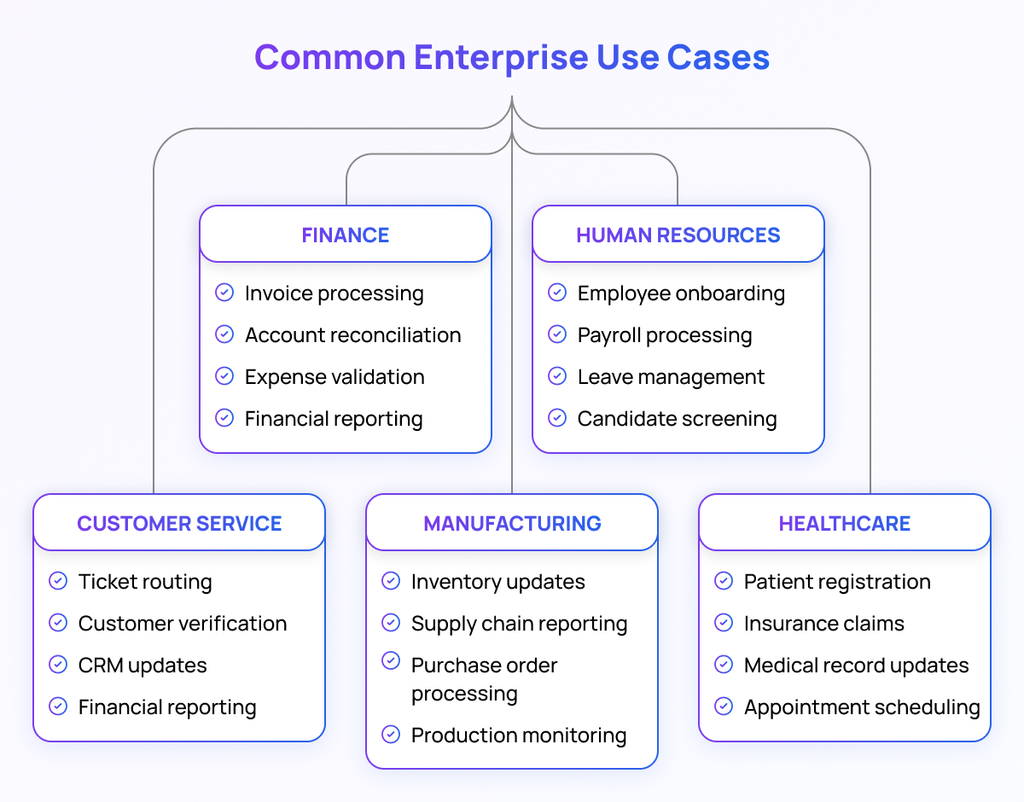
Customer Service
- Ticket routing
- Customer verification
- CRM updates
- Complaint management
Healthcare
- Patient registration
- Insurance claims
- Medical record updates
- Appointment scheduling
Manufacturing
- Inventory updates
- Supply chain reporting
- Purchase order processing
- Production monitoring
The Future of Enterprise Automation
Enterprise automation is no longer limited to repetitive rule-based tasks.
With Artificial Intelligence, machine learning, intelligent document processing, and predictive analytics becoming part of UiPath’s ecosystem, businesses are moving toward Intelligent Automation—where bots can understand context, analyze information, and support decision-making.
Organizations that invest in automation today will be better positioned to scale operations, improve customer experiences, and stay competitive in an increasingly digital world.
Partner with Provitious for Smarter Enterprise Automation
Implementing enterprise automation is about more than deploying bots,it’s about transforming the way your business operates. The right strategy, the right platform, and the right implementation partner can make all the difference.
At Provitious Technologies, we help organizations identify automation opportunities, design scalable UiPath solutions, and implement secure, enterprise-grade workflows tailored to their business goals. Whether you’re looking to automate finance operations, HR processes, customer service, document management, or end-to-end business workflows, our team ensures a smooth implementation with measurable results.
From process assessment and automation consulting to UiPath development, system integration, deployment, and ongoing support, we work alongside your team to eliminate repetitive tasks, improve productivity, and maximize your return on investment.
Ready to transform the way your business works?
Let Provitious Technologies be your trusted automation partner. We’ll help you replace manual, time-consuming processes with intelligent automation that saves time, reduces costs, improves accuracy, and empowers your teams to focus on what truly drives business growth.
Get in touch with Provitious today and take the first step toward a smarter, more efficient, and future-ready enterprise.
Email: info@provitious.com