UiPath for Inventory and Procurement Automation: From Purchase Orders to Replenishment
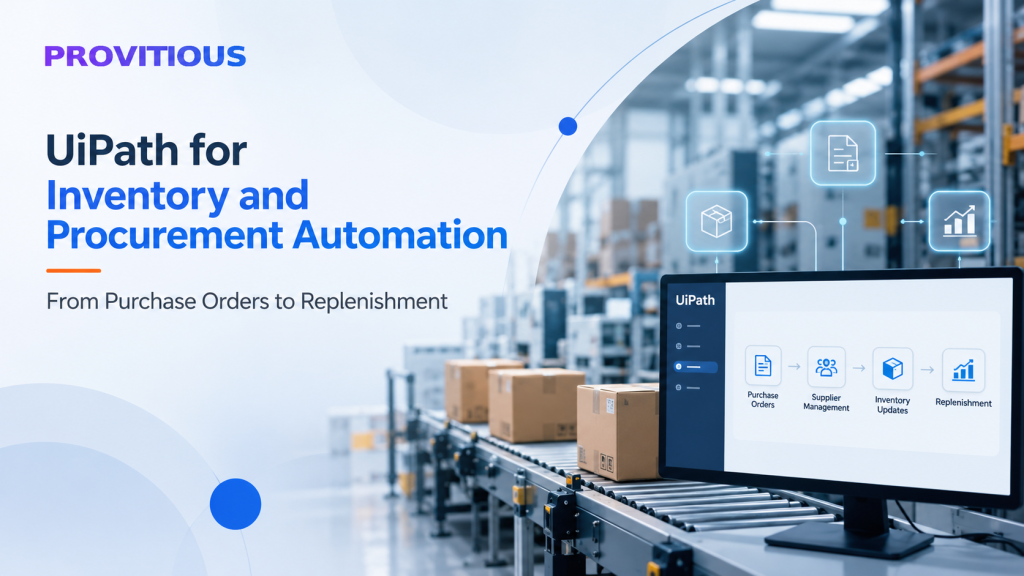
Inventory and procurement are critical to manufacturing efficiency. When purchase orders, supplier communications, stock updates, and replenishment activities depend on manual processes, businesses can experience delays, data-entry errors, excess inventory, and production disruptions.
For manufacturers managing multiple suppliers, raw materials, product specifications, and delivery schedules, these challenges can become increasingly difficult to manage.
UiPath inventory and procurement automation helps businesses streamline repetitive operational workflows, reduce manual intervention, and improve coordination across purchasing, inventory, and ERP systems.
In this article, we explore how UiPath can automate inventory and procurement processes, the benefits manufacturers can achieve, and how to identify the right opportunities for automation.
Why Inventory and Procurement Processes Need Automation
Many manufacturing companies rely on ERP platforms, spreadsheets, emails, and supplier portals to manage purchasing and inventory activities. Although these systems hold valuable operational data, employees may still need to move information manually between applications.
Common challenges include:
- Manual purchase order creation and processing.
- Delays in updating inventory records across systems.
- Time-consuming supplier follow-ups and delivery confirmations.
- Inconsistent data between procurement and inventory applications.
- Difficulty identifying replenishment requirements promptly.
- Manual preparation of purchasing and inventory reports.
These issues can increase administrative workloads and make it harder for procurement teams to respond quickly to changing production requirements.
UiPath Robotic Process Automation (RPA) enables businesses to automate repetitive, rule-based tasks across existing applications, helping teams improve operational efficiency without necessarily replacing their current systems.
1. Automating Purchase Order Processing
Purchase order processing is one of the most practical starting points for procurement automation.
Traditionally, employees may receive purchase requests through emails or internal systems, verify details, enter information into an ERP platform, and coordinate approvals manually.
UiPath can automate several steps in this workflow.
How it works:
- Retrieve purchase requests from designated email inboxes or business applications.
- Extract relevant information, including supplier details, item codes, quantities, and requested delivery dates.
- Validate the extracted information against predefined business rules or available ERP data.
- Create or update purchase order records in the relevant system.
- Route exceptions or requests requiring authorization to the appropriate employee.
- Send notifications and maintain a record of completed transactions.
For document-heavy processes, UiPath can be combined with document processing capabilities to extract data from purchase orders, invoices, and other business documents.
The result is a more consistent purchase order workflow with less repetitive data entry and fewer manual handoffs.
2. Improving Inventory Visibility and Stock Updates
Accurate inventory information is essential for manufacturing operations. Teams need to understand which materials are available, which quantities are committed to existing orders, and which items may require replenishment.
When inventory information is maintained across multiple systems or spreadsheets, keeping records synchronized can consume significant employee time.
UiPath can automate routine inventory-related activities, such as:
- Retrieving stock data from ERP and inventory applications.
- Updating inventory records following approved transactions.
- Reconciling inventory information across systems.
- Identifying discrepancies for review.
- Generating low-stock alerts and inventory reports.
- Notifying relevant teams about materials requiring attention.
For example, a manufacturer can schedule an automation to retrieve inventory data at defined intervals, compare stock levels with configured thresholds, and notify the procurement team when an item requires review.
Where suitable APIs or native integrations are available, these should be considered first. UiPath can also support workflows involving legacy applications that lack convenient integration options.
3. Automating Inventory Replenishment Workflows
Inventory replenishment ensures that materials are available when needed without unnecessarily increasing storage costs.
Manual replenishment processes often involve reviewing spreadsheets, checking stock levels, estimating requirements, and preparing purchase requests. These activities can become challenging when a business manages numerous components, suppliers, or manufacturing locations.
UiPath can automate the workflow surrounding replenishment decisions.
A typical replenishment workflow includes:
- Retrieving current inventory and relevant demand information.
- Comparing available stock with predefined reorder points.
- Applying business rules for minimum order quantities and supplier lead times.
- Identifying items that may require replenishment.
- Creating draft purchase requests or recommendations.
- Routing proposed orders for review and approval.
- Tracking the status of approved requests.
It is important to distinguish between automating a workflow and making autonomous purchasing decisions. Reorder calculations and recommendations should use reliable data and approved business rules, with human authorization retained where required.
By automating these steps, manufacturers can improve the timeliness of replenishment activities and reduce the effort required to monitor inventory manually.
4. Streamlining Supplier Communication and Follow-Ups
Procurement teams frequently spend time contacting suppliers to confirm purchase orders, request delivery updates, and resolve discrepancies.
These communications are often repetitive but important for maintaining production schedules.
UiPath can help automate routine supplier coordination by:
- Sending purchase order acknowledgments or status requests.
- Generating reminders for overdue supplier responses.
- Monitoring designated inboxes for delivery confirmations.
- Extracting expected delivery dates from supplier communications.
- Updating relevant records in ERP or procurement systems.
- Escalating delayed deliveries or discrepancies to employees.
For example, an automation can identify purchase orders approaching their expected delivery dates, send follow-up requests according to company policy, and notify procurement staff when a supplier reports a delay.
Where supplier responses contain unstructured information, document processing and validation can help capture relevant details before updating business records.
5. Connecting Procurement, Inventory, and ERP Systems
Inventory and procurement processes rarely operate in isolation. They interact with production planning, finance, warehouse management, supplier management, and order fulfillment.
When these systems are disconnected, employees may need to enter the same information multiple times or manually transfer data between applications.
UiPath can automate workflows across these systems, including:
- Transferring approved purchase order details into ERP applications.
- Synchronizing supplier and material information.
- Coordinating purchase receipts with inventory updates.
- Passing invoice data to accounts payable workflows.
- Preparing consolidated procurement reports.
- Managing exceptions that require information from multiple applications.
UiPath can complement existing ERP integrations and workflows, particularly when processes span applications with different interfaces or limited integration capabilities.
The objective is not to introduce unnecessary automation between every system. It is to simplify the specific workflows where manual intervention creates measurable operational friction.
6. Reporting, Reconciliation, and Exception Management
Procurement managers need timely information to monitor supplier performance, purchasing activity, stock availability, and outstanding orders.
Preparing these reports manually can divert employees from higher-value work.
UiPath can automate routine data collection, reconciliation, and reporting tasks by retrieving information from approved sources, applying business rules, and generating reports on a defined schedule.
Automations can also flag exceptions such as:
- Purchase orders with missing information.
- Differences between ordered and received quantities.
- Supplier deliveries that are overdue.
- Inventory records that do not reconcile.
- Transactions requiring approval or further investigation.
Instead of attempting to automate every exception, a well-designed workflow routes unresolved cases to the appropriate employee with the relevant information attached.
This combination of automation and human oversight helps improve process consistency while preserving accountability.
Key Benefits of UiPath for Inventory and Procurement Automation
Implementing UiPath across suitable inventory and procurement workflows can deliver several business benefits.
Reduced manual effort: Automate repetitive data entry, record updates, supplier follow-ups, and report preparation.
Improved data accuracy: Apply consistent validation rules and reduce errors associated with repeated manual handling.
Faster processing: Reduce delays in purchase order handling, inventory updates, and replenishment workflows.
Better operational visibility: Provide more timely notifications about stock levels, pending orders, and exceptions.
Improved scalability: Handle increasing transaction volumes without proportionately increasing manual administrative work.
More productive procurement teams: Allow employees to focus on supplier relationships, purchasing strategy, negotiations, and complex operational decisions.
Best Practices for Implementing UiPath Automation
To achieve sustainable results, manufacturers should approach inventory and procurement automation systematically.
- Identify high-volume processes: Start with repetitive workflows that consume significant employee time.
- Map the existing process: Document systems, business rules, approvals, exceptions, and dependencies.
- Prioritize reliable data: Validate supplier records, item codes, stock information, and other critical data before automation.
- Choose the right integration method: Evaluate APIs and native integrations alongside UiPath-based automation.
- Build in exception handling: Define what happens when information is missing, records do not match, or approvals are required.
- Establish governance: Implement appropriate access controls, credential management, audit trails, monitoring, and recovery procedures.
- Measure performance: Track processing time, error rates, exception volumes, manual interventions, and overall return on investment.
A focused pilot, such as automating purchase order entry or low-stock notifications, can help demonstrate value before expanding automation across additional workflows.
Conclusion
Inventory and procurement automation is about more than reducing manual data entry. It helps manufacturers establish more reliable workflows between purchasing, inventory management, suppliers, and enterprise systems.
With UiPath, businesses can automate purchase order processing, streamline supplier follow-ups, improve inventory monitoring, support replenishment workflows, and simplify reporting while retaining appropriate human oversight.
Provitious Technologies helps enterprises identify and implement automation opportunities using UiPath, Microsoft Power Platform, and intelligent document processing technologies. Our approach focuses on practical business outcomes, integration with existing systems, and scalable automation aligned with operational requirements.
Looking to streamline inventory and procurement operations?
Contact Provitious Technologies to explore how enterprise automation can help reduce manual effort and improve efficiency across your manufacturing workflows.